Four-cylinder engine
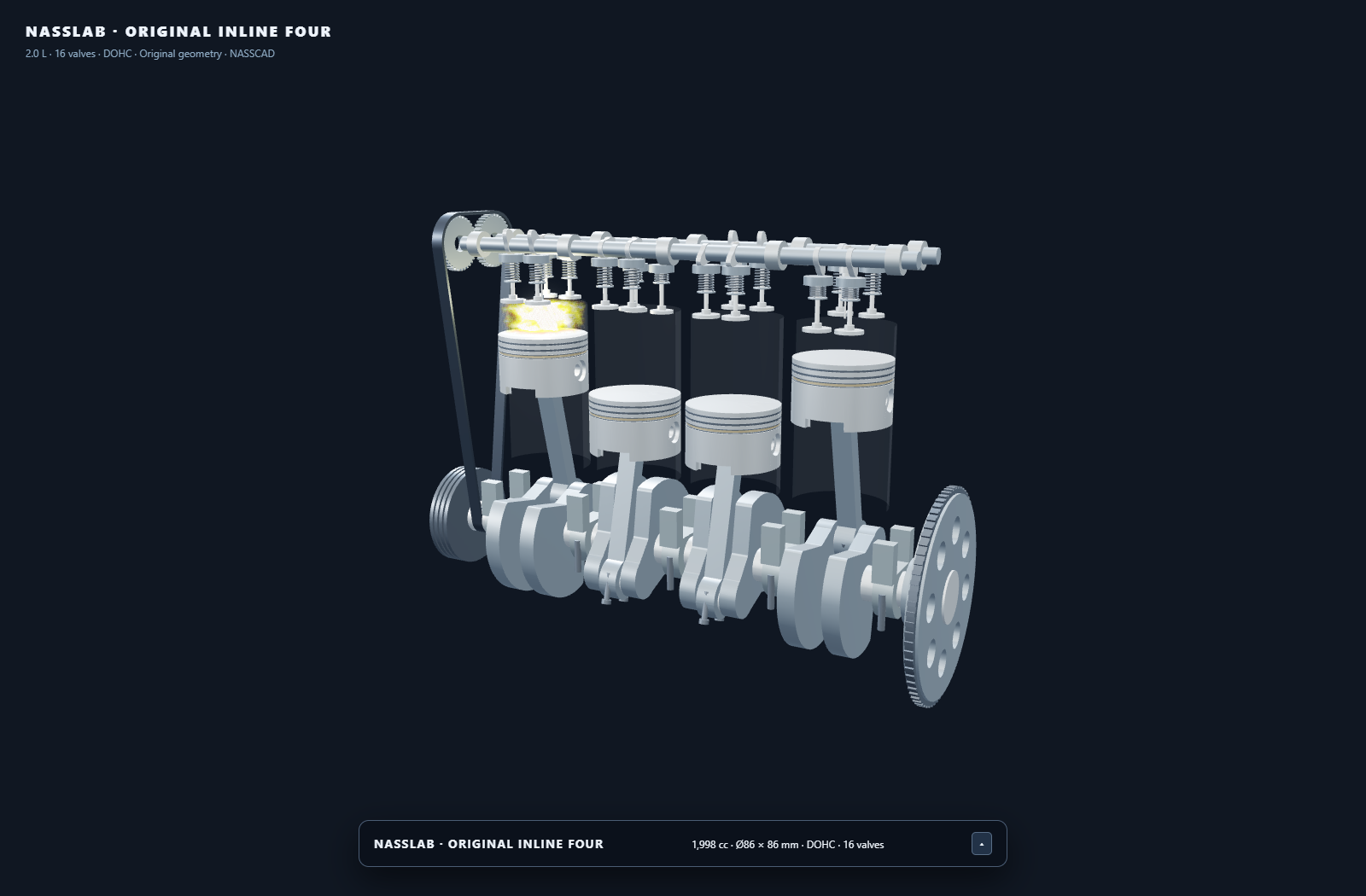
Pistons, solid connecting rods, crankshaft, camshafts, valves, a timing belt and combustion — modelled and animated by a script.
NassScript is NASSCAD's built-in JavaScript console. The functions behind the buttons are yours: create primitives, place them, turn them into holes, run booleans and generators, export files. If you can write a loop, you can make a bolt circle.
Open NASSCAD, click ⚡ Script, paste this and press ▶ Run.
// Flange: Ø100 × 12 mm disc, 8 bolt holes Ø9 on a Ø80 circle, Ø30 bore
const OD = 100, T = 12, N = 8, PCD = 80, D = 9, BORE = 30;

await _csgRequire();                     // MEDUSA, or the in-browser engine
await undoPush('flange');
selObjs = []; setHoleMode(false);        // new shapes are solids

function cylinder(d, h, x, y, z) {       // a new cylinder is Ø20 × 20 mm (PS)
  addPrimitive('cylinder');
  const o = objs.at(-1);
  o.mesh.scale.set(d / PS, h / PS, d / PS);
  o.mesh.position.set(x, y, z);
  _invalidateBbox(o.mesh);
  return o;
}

const disc = cylinder(OD, T, 0, T / 2, 0);
const cutters = [cylinder(BORE, T + 4, 0, T / 2, 0)];
for (let i = 0; i < N; i++) {
  const a = i * 2 * Math.PI / N;
  cutters.push(cylinder(D, T + 4, PCD / 2 * Math.cos(a), T / 2, PCD / 2 * Math.sin(a)));
}

selObjs = cutters; setHoleMode(true);    // turn the cutters into holes
selObjs = [disc, ...cutters];
updProps(); updOList(); updCSG();
await doCSG('subtract');
isHoleMode = false; updProps();           // setHoleMode also set the creation mode: back to solid
return `Flange Ø${OD} mm: ${N} holes Ø${D} on Ø${PCD}, bore Ø${BORE}`;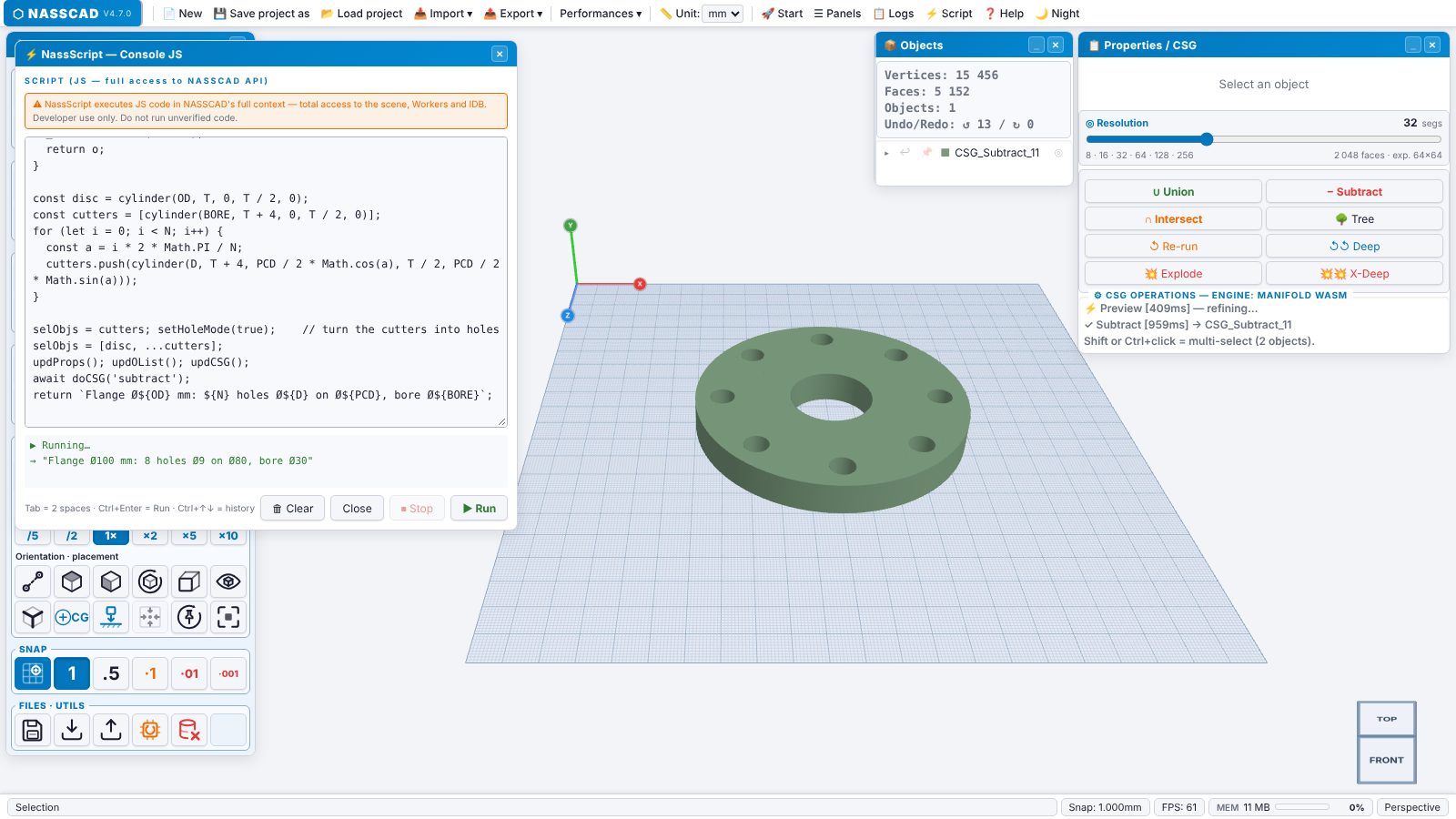
addPrimitive creates the cylinders, the script scales and places them, setHoleMode turns the selected cutters into holes, and doCSG('subtract') runs the boolean — in MEDUSA when it is running, otherwise in the browser's Manifold engine. Change N to 6 or PCD to 90 and run it again: a parametric part, in plain JavaScript.
Pistons, solid connecting rods, crankshaft, camshafts, valves, a timing belt and combustion — modelled and animated by a script.
Planets and moons on their orbits at today's date, with simulation controls. Only the demo you choose is downloaded.
objs and selObjs: every object in the scene and the current selection.doCSG, fillets and chamfers.genParams, replayable.window.SK.The NassScript reference covers the execution model, the data model, the API by topic and ready-made recipes in 22 chapters, with an index of 813 functions.
OpenSCAD, CadQuery and JSCAD describe a model entirely in code and rebuild it from scratch at every change. NassScript drives an interactive modeller instead: script and mouse work on the same scene, so you can generate a pattern in code, adjust one part by hand, then export. Scripts are plain JavaScript with async and await — there is no new language to learn.
NassScript has full access to the page, like the browser's developer console. Run code you understand or trust. The ⏹ Stop button ends a running script cleanly.
No. NassScript runs inside NASSCAD in your browser, or in the Windows edition.
Yes. The reference has recipes that write one STEP or one STL file per part without a dialog for each.
The functions are the application's own. Some helpers are internal and may change between versions; the reference says which.
Yes. The engine demo animates pistons and valves, and the reference shows how to write an animation that freezes cleanly when you press Stop.