A free CAD viewer and converter for workshops and factories
Not every workstation needs a CAD seat. NASSCAD lets planners, machinists, quality inspectors and buyers open the STEP and IGES files that suppliers send, check them and convert them — locally, offline if you like, for free.
- STEP AP242 + PMI
- IGES sewing
- No cloud
- Offline Windows edition
- Free commercial use
Then choose Import. Files are read on your computer and never uploaded.
Confidential by design
Drawings and models are a factory's know-how. NASSCAD processes them on the computer in front of you: no upload, no cloud workspace, no account. The Windows edition runs completely offline and loads no analytics, so it fits isolated networks and supplier confidentiality agreements.
Under AGPLv3 it is free for commercial use, with no licence server, seat count or renewal date. SHA-256 checksums are published for every download, and the complete source code is public.
What it does on the shop floor
Read the model
STEP AP203, AP214 and AP242 assemblies with folders, part names and colours; IGES sewn into solids; IFC for building and plant models.
Read the intent
AP242 PMI and GD&T appear in their panel and in the 3D view when the sender's CAD wrote them.
Measure
Click faces and edges for diameters, radii, lengths, areas and angles, from the exact STEP geometry with MEDUSA. Imported bodies report their exact B-Rep volume.
Look inside
Hide and isolate parts, see through everything with X-Ray, and export sections as DXF or SVG.
Convert
STL or 3MF for a prototype print, STEP or IGES for another system, GLB for training material and web viewers.
Make shop aids
Jigs, spacers, drill guides and soft jaws from primitives and booleans, with real threads from the bolt generator.
Built for big assemblies
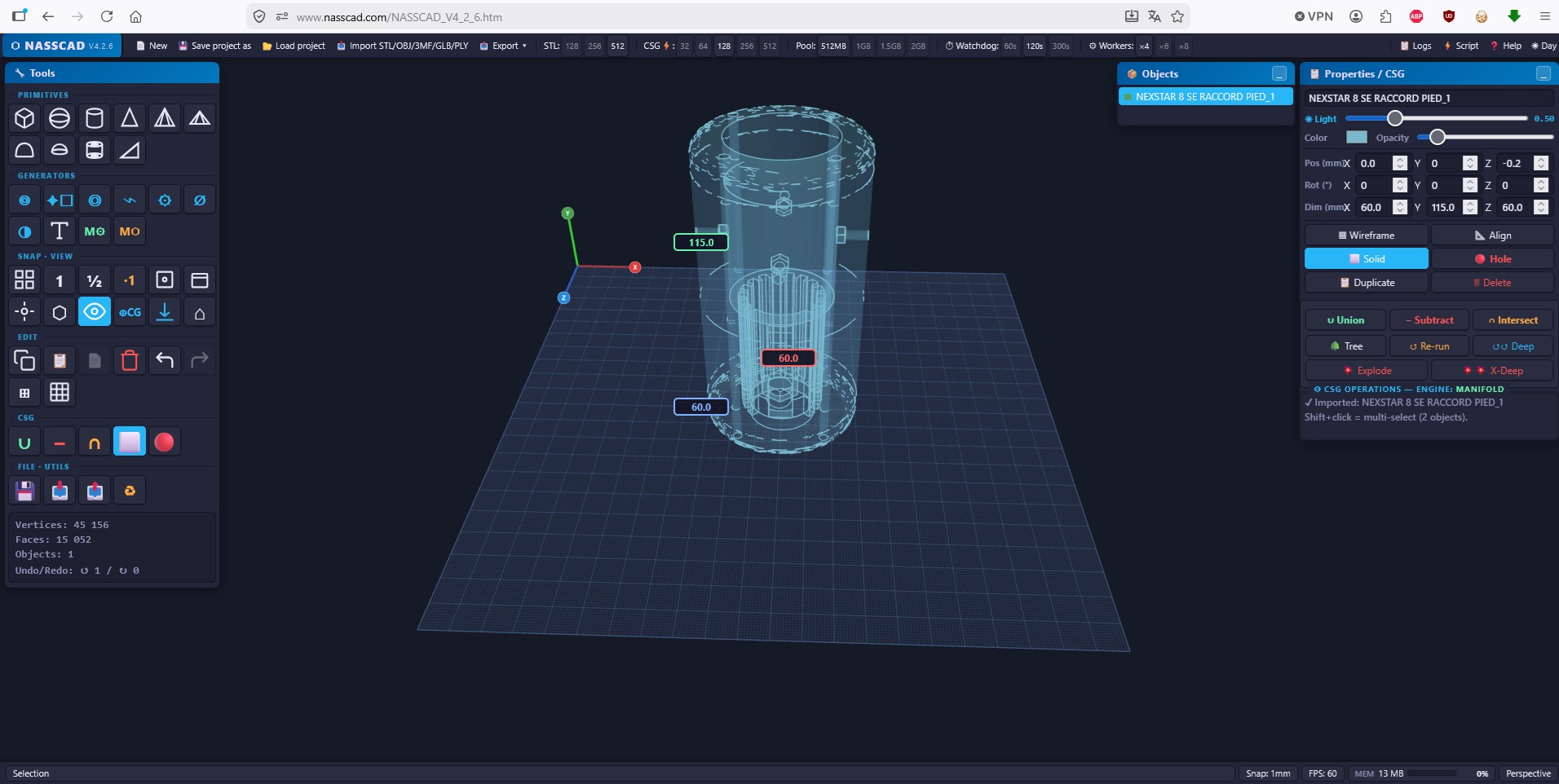
The Windows edition includes MEDUSA, a native C++ engine built on OpenCASCADE, Manifold and Intel oneTBB. It imports STEP on several cores, streams very large files, and opens assemblies over 200 MB as separate, selectable bodies. Browser users can run the same engine as a companion.
Honest limits
- Imported models carry no feature history: NASSCAD is not the tool for redesigning a supplier's part parametrically.
- It is not CAM software: it does not generate toolpaths.
- PMI is shown when the sender's CAD wrote it and the reader supports it.
- Verify every exchanged file in the system that will use it.
Questions people ask
Can a company use NASSCAD for free?
Yes. Using NASSCAD inside a company, for any kind of work, costs nothing. The AGPL's obligations concern distributing NASSCAD, or offering a modified version to others over a network: then its source must be shared.
Does it work without an internet connection?
Yes. The Windows Setup and Portable editions work completely offline.
Can it open very large assemblies?
With MEDUSA, included in the Windows edition, STEP assemblies over 200 MB open as separate bodies. The practical limit is the computer's memory.
Is anything sent to NassLab?
No model is ever sent. Only the nasscad.com website measures visits, with an opt-out; the Windows edition loads no analytics at all.
How is it deployed?
As a Windows x64 installer or as a single portable executable, both including MEDUSA. Checksums are published next to the downloads.