Free bolt, screw and nut generator
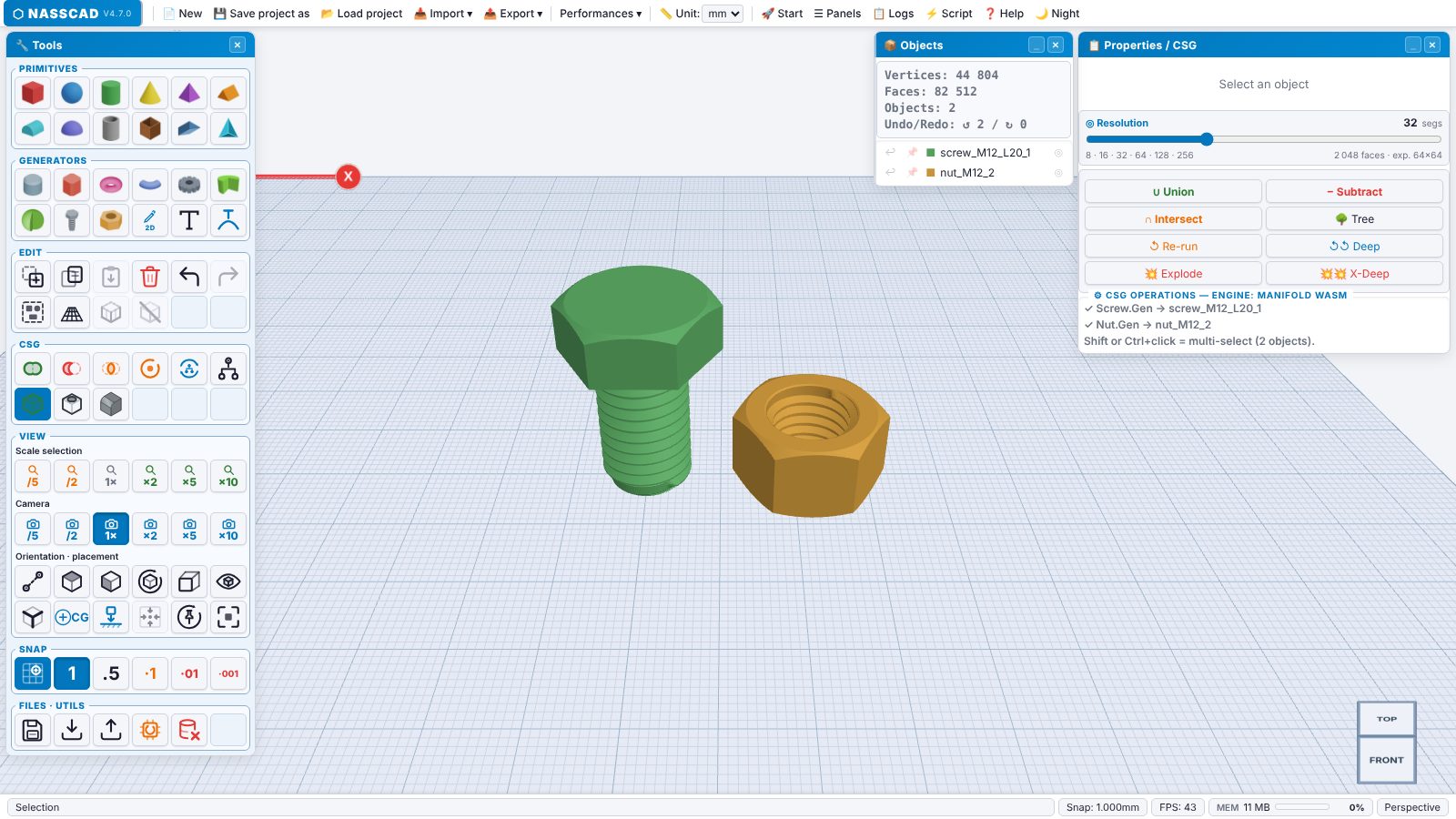
Choose a size: NASSCAD builds a screw or a nut with a real helical thread on the ISO and ASME 60° profile, so the two actually screw together — in your slicer and in your hand.
- ISO M2–M24
- UNC / UNF #4 to 1 in
- Hex or socket head
- Left or right hand
- Print clearance
Sizes
| System | Sizes | Thread |
|---|---|---|
| Metric | M2, M2.5, M3, M4, M5, M6, M8, M10, M12, M14, M16, M20, M24 | ISO 68-1 profile, coarse or fine pitch |
| Imperial | #4, #6, #8, #10, 1/4, 5/16, 3/8, 7/16, 1/2, 5/8, 3/4, 7/8 and 1 inch | ASME B1.1 unified, UNC or UNF |
Screw options
- Thread: coarse, fine, a custom pitch, or plain with no thread.
- Hand: right-hand by default, left-hand when you need it.
- Head: hexagon head, socket head cap screw, or none for a threaded rod or a stud.
- Length: any length, with presets of 5, 10, 20, 30 and 50 mm.
- Clearance: a radial allowance that loosens the fit of 3D-printed threads.
- Lead-in and lead-out: blunt thread starts that engage cleanly.
- Smoothness: 32 to 96 facets around the axis.
Nut options
- The same sizes, pitches and hands as the screws.
- Normal, high or custom height.
- Chamfered edges, or square ones.
- A clearance for printed fits.
Printing threads that work
- Print screws standing upright, so each layer traces the thread around the axis.
- On an FDM printer, start at M6 or larger; small threads need a fine nozzle or a resin printer.
- If the nut is too tight, add clearance and generate it again rather than sanding the thread.
- Need metal strength? Print the plastic part with a plain hole or a nut trap, and use real hardware.
What people make with it
Thumbscrews and knobs, replacement fasteners for discontinued products, jigs and fixtures, enclosure screws, and classroom demonstrations of pitch and tolerance. Combine a generated thread with other shapes using booleans: a threaded boss on a bracket, a cap that screws onto a printed jar.
Questions people ask
Are the threads real geometry?
Yes. The thread is a true helical surface on the 60° basic profile, not a texture, and the screw is a closed mesh ready to print.
Which standards do the threads follow?
ISO 68-1 for metric threads, in coarse or fine pitch, and ASME B1.1 for unified UNC and UNF threads. Hexagon and socket heads follow ISO 4017 and ISO 4762 proportions.
Can I export the screw to STEP?
Yes. The thread is written as faceted geometry. Use it when the real thread shape matters — printing, rendering, clearance checks.
Can I change a screw after creating it?
Yes. Select it and choose Edit .gen params: the generator reopens with its settings.